



























Software for music schools

In a music school,harmony should be felt beyond the classroom too.

One-to-one lessons, combined programs, music theory, room changes and teacher swaps all live in one system.

For the start of term

Start now. Arrive in September with everything in order.

September is the most chaotic moment: new enrollments, new timetables, returning students, and families asking questions. If you start today, by September it already runs on its own.

How to get your academy ready for September →

By submitting, you accept our Terms of Service and our Privacy Policy.

The work no one sees

What gets tangled in a music school when there is no system holding it together.

Every change to a one-to-one lesson triggers a wider timetable chain reaction.

Every mix of instrument and group learning makes billing harder to read.

Every teacher replacement forces you to resend context, students and room details.

In music, the issue is not just the schedule. It is everything the schedule drags with it.

Make-up classes · The use case everyone starts with

Make-up classes, finally without the search

The student cancels

At any time, without calling or messaging. The balance adjusts automatically and the slot opens up instantly.

Another student takes that slot

The system knows which students can access that group. The slot is not lost — it goes to whoever needs it, within the rules you set.

You control who enters which group

Configure once which groups each student can book into, with how much notice and under what conditions. The system applies it every time. No manual exceptions.

How it fits music

Three classic music-school situations, handled without admin improvisation.

Your academic model is already complex enough. The system should simplify it, not add another layer on top.

You need to move four one-to-one lessons because of a recital

Before

You reshuffle them one by one, message each family, update another sheet for the teacher and end up with different versions of the same timetable.

Now

The change appears in the shared agenda and everyone involved sees the new slot without depending on loose messages.

A student combines piano and theory

Before

Their information is split across several lists, with payments and attendance hard to read as a whole.

Now

You manage one student profile, the related plans and the full context of that learner inside the center.

A teacher covers two afternoons of classes

Before

You have to explain groups, rooms and students separately while coordination tries to reconcile attendance and working hours.

Now

The teacher opens their portal and sees classes, rooms and the information needed to start right away.

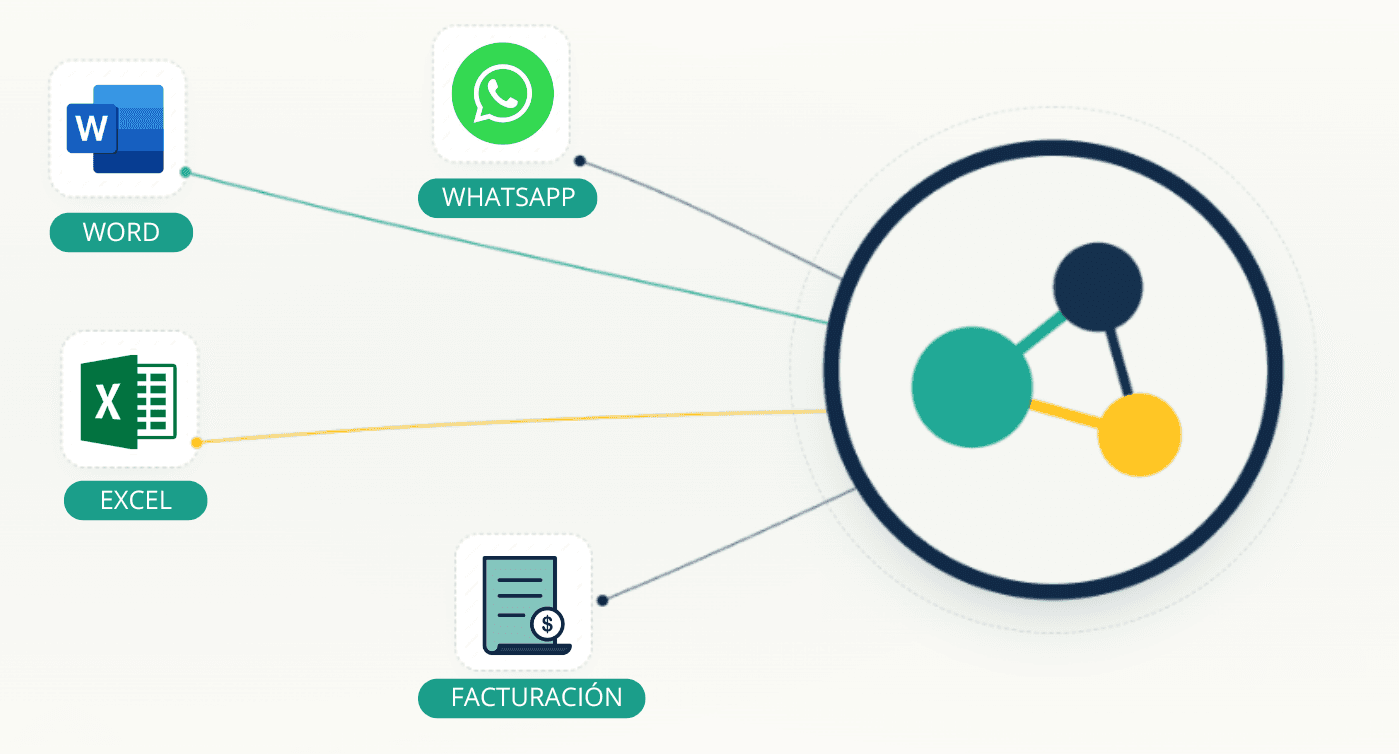
How many tools do you use to run your center?

Every time something changes, you change it in four places.

When your apps don't talk to each other, your data ends up inconsistent. Clasbi connects everything in one place — when something changes, it changes once.

Alternatives to Excel for managing your academy
Illustration — disconnected tools converging into Clasbi

What it handles inside

Music-school management that is clearer for direction, teachers and families.

Everything coordinated

Timetables, rooms and lessons

One-to-one, group and combined lessons all sit inside the same shared schedule.

  • Schedules by teacher, room and student
  • Instant updates across the whole center
  • A shared timetable for coordination and families
No duplicated setup

Enrollments and learning plans

Register students with one or several learning paths without splitting their record.

  • Plans by discipline or attendance frequency
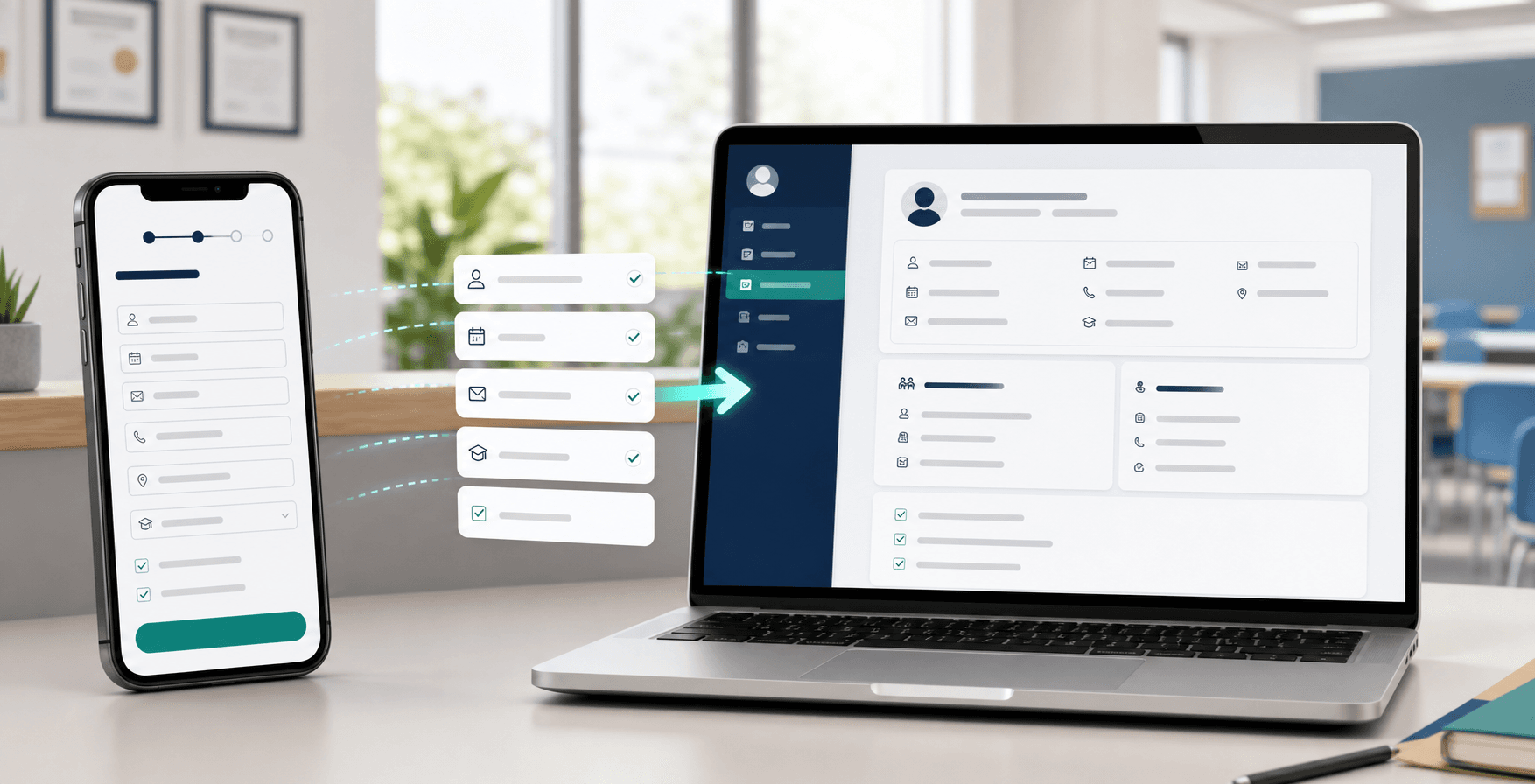
  • Online enrollment without paperwork
  • One student profile with multiple lessons attached
Less rebuilding

Changes and make-ups

Handle absences and lesson moves with rules rather than memory.

  • Configurable cancellation policy
  • Make-up lessons based on real availability
  • Automatic impact on schedule and balance
Less manual chasing

Portal for students and families

Families check schedules and changes where they expect to find them.

  • Agenda and notices inside the portal
  • Parent mode for minors
  • Fewer calls just to confirm schedules
Finances under control

Billing and payment issues

The financial layer stays tied to the student’s real academic setup.

  • Memberships, passes or combinations visible
  • Payment issues spotted early
  • Organized, traceable invoicing
Ready to scale

Teachers and locations

The team gets its daily operating view while the business grows without losing structure.

  • Teacher portal with attendance and context
  • Time tracking from mobile
  • Separate rules for multi-site setups

Up and running in one afternoon.

You do not need to prepare anything beforehand. We do it with you.

1

Tell us about your center

In a 30-minute call you walk us through how things work today: classes, payments, cancellations and student policies.

You talk, we take notes.

2

We bring your team on board

We import students, courses and teachers from whatever you already have: Excel, CSV or an export from another platform.

We do it with you. You do not have to prepare anything.

3

We connect your rules

We configure your cancellation policy, balances and payments so Clasbi can apply them for you.

In one session your center works the same way it used to manually, but now automated.

4

Teachers and students join with you

Teachers access their portal. Students and families receive their app invitation with timetable, balance and history.

They do not need to learn a new program. They get what they need where they already expect to find it.

See Clasbi in action

A demo built around your context, your classes, your students and your rules.

Only until July 1, 2026

If it fits your school,join now and activate 6 months free.

Standard offer

3 months free

Active offer now

6 months free

3 months included + 3 extra months when you reserve before the deadline.

After that

5€/teacher/month

By submitting, you accept our Terms of Service and our Privacy Policy.

Music FAQ

Typical questions when a music school starts considering the change.

Yes. It is built for both formats to live together, and for a student to take multiple classes without splitting their management across tools.
Yes. You can configure different plans depending on the lesson type or combination you offer and keep everything attached to the same student.
They follow the policy you define, so changes affect calendar and availability without forcing you to rebuild everything manually.
Yes. Each teacher accesses a portal with their timetable, attendance and the context they need to teach their assigned classes.
Yes. You can organize rooms, timetables and staff by site while still keeping a global view of the business.
Yes. WhatsApp can stay for one-off conversations, while Clasbi keeps timetables, changes and payments organized.
They are not left out. The team can manage their information in Clasbi and use other channels when needed.
Yes. You can start with timetables, rooms, attendance, communication or payments and enable more areas when the team is ready.
Yes. You can send notices by group, teacher, instrument, room or audition, and also to specific people.