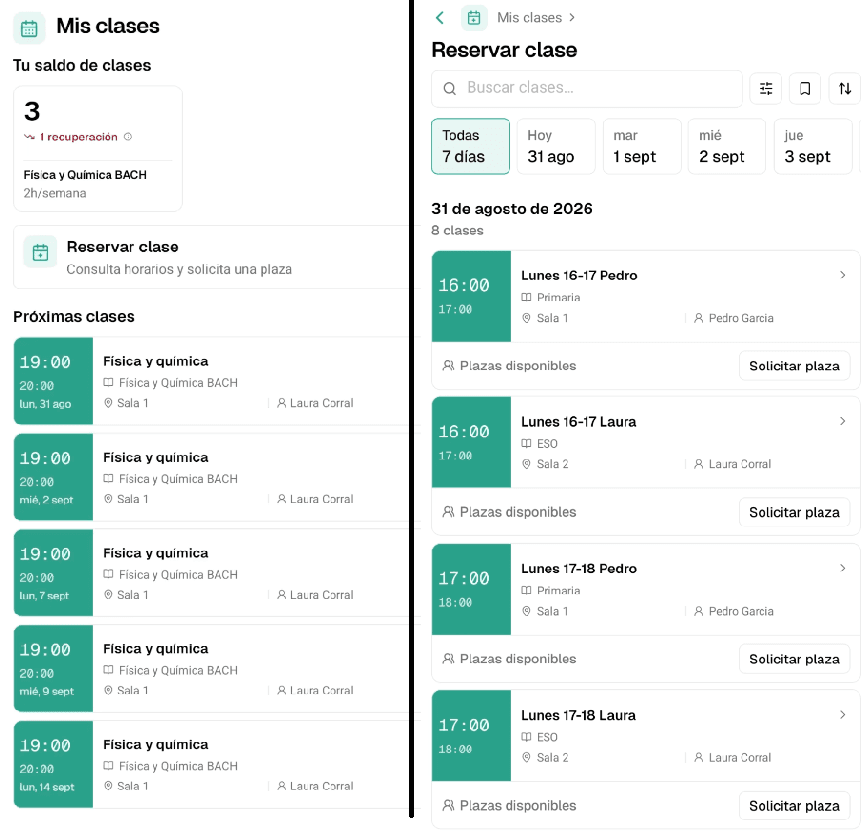

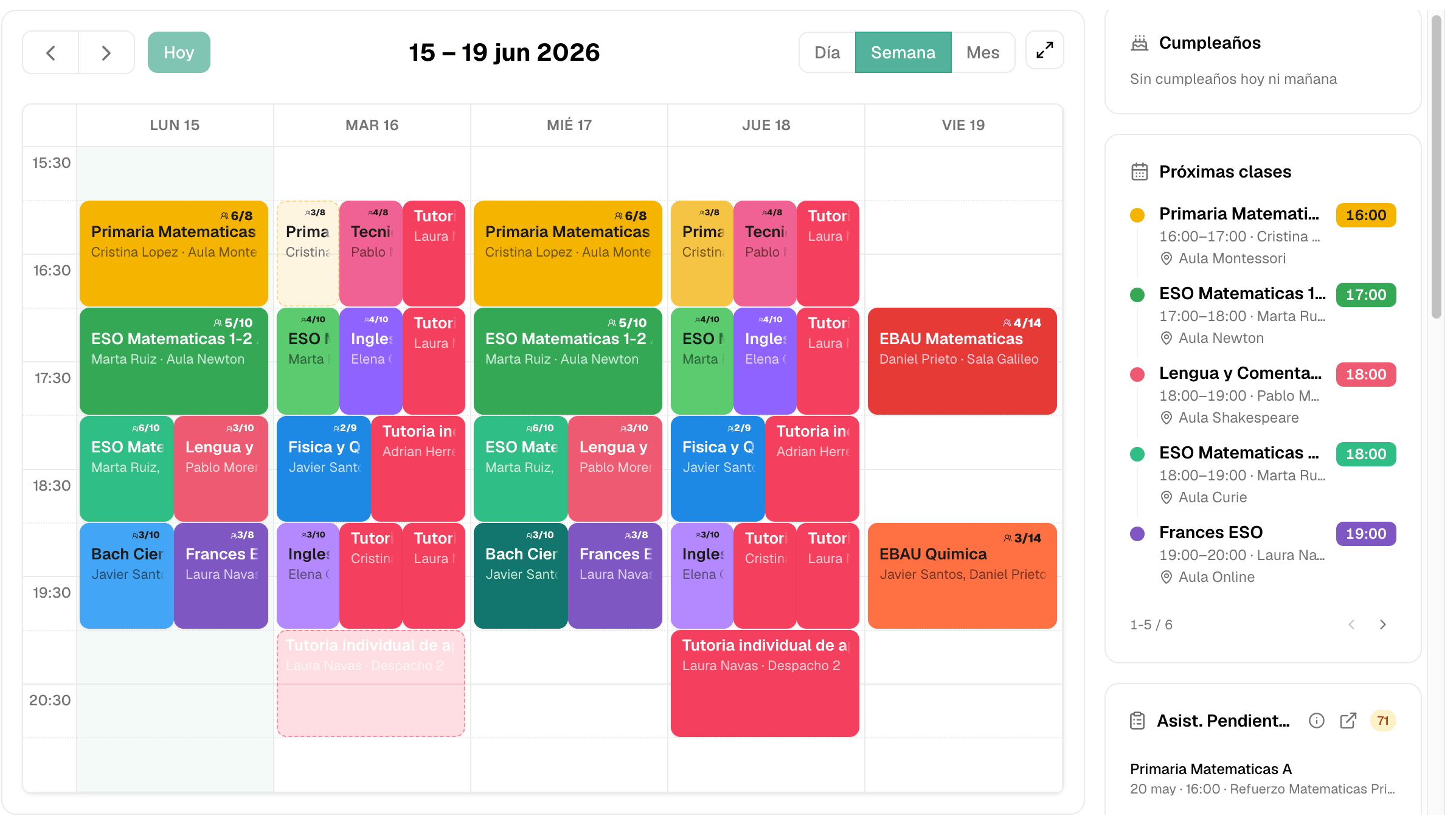
Choosing academy management software is not about finding the tool with the most buttons.
It is about answering a much more practical question:
Will this work in my academy from day one, or will it become another system nobody uses properly?
When software is not designed around the real day-to-day of an academy, the problem is not usually a lack of modules. The problem is that it is hard to use: too many screens, too much setup, unclear flows for teachers and families who end up asking again by WhatsApp.
Good academy software has to be specific, quick to launch and, above all, ultra easy and intuitive. If administrators, teachers, students and families cannot understand what to do without heavy training, the system does not solve the mess: it only moves it somewhere else.
Common problems in management software
A long feature list does not guarantee better management.
What usually fails is not the sales promise, but daily use:
- Too much friction: simple actions require several screens.
- Poor intuition: the team needs too much explanation for basic tasks.
- Generic workflows: the system understands clients and appointments, but not recurring classes, groups, absences and make-ups.
- Weak or missing mobile app: teachers, students or families do not get a clear mobile experience.
- Rigid setup: packages, make-ups, payments or center-specific rules end up being managed outside the system.
- Distant support: just when the academy needs to launch, the center is left alone with documentation.
The right question is not “how many things does it do?” It is how much real work does it remove without forcing your team to fight the system?

What academy management software should include
Every academy works differently, but some building blocks should be non-negotiable. The key is that they are connected and easy to use, not hidden inside impossible menus.
- Classes, groups and timetables: courses, rooms, teachers, enrolled students, changes, availability and calendar in one system.
- Attendance and absences: fast registration for teachers and immediate visibility for administrators.
- Make-ups and cancellations: clear rules for absences, available spots, pending classes and the center’s own policy.
- Payments, receipts and invoices: collections, pending payments, receipts, invoicing and financial paperwork organized.
- Financial visibility for the academy: revenue, issues, overdue payments, activity by group or teacher and monthly closing without rebuilding it manually.
- Packages, monthly fees and pauses: flexible plans based on how your center actually charges.
- Digital time tracking and compliance: teacher working-time records with traceability and export when needed.
- Mobile app for teachers: timetable, room, students, attendance and class context without depending on administrators.
- Mobile app for students and families: timetables, notices, class information and communication without always asking by WhatsApp.
- Roles and permissions: administrators, teachers, students and families only see what they need.
If one of these blocks lives outside the system, double work comes back. And if the system is not intuitive, the team will choose the easy path: WhatsApp, notes and loose spreadsheets.
The real test: easy to understand and fast to launch
Unintuitive software does not fail on demo day. It fails two weeks later, when a teacher does not know where to mark attendance, a family asks again by WhatsApp or administrators need to change a group and cannot see what it affects.
That is why ease of use and setup speed belong together. Academy management software should be clear for each profile from the beginning:
| Profile | What they need |
|---|---|
| Administrators | Overall control of the center, classes, payments, team, issues and fast student management |
| Teachers | See timetable, room, students and record attendance with little friction |
| Students and families | Check timetables, notices, pending classes or changes without messaging the center |
Changing software should not force you to stop the academy or spend weeks preparing a perfect migration. A good provider should help you start from what you already have: Excel, internal lists or exports from another platform.
In Clasbi, setup is designed to be fast:
- first, you explain how your center works today;
- we import students, courses and teachers from what you already have;
- we configure your main rules for cancellations, make-ups, packages and payments;
- the team gets access when the system already makes sense for your operation.
The goal is not for you to adapt your academy to the software. It is for the software to start as close as possible to how you already work, without the manual chaos.
If you are coming from spreadsheets, you can also read this guide on alternatives to Excel for managing your academy.
Adaptation: the software should fit your academy
A language academy does not work like a dance school. A tutoring center does not follow the same logic as a music school. And a center with group classes, packages or pauses needs different rules from an academy with fixed monthly enrolment.
That is why generic software often falls short. Even if it has a calendar and contacts, it usually forces the center to translate its way of working into a structure that was not designed for academies.
Clasbi is built specifically for academies and class-based centers. That makes it possible to work around the real operation of the center without turning every internal rule into a manual exception.
This is especially relevant for language academies, tutoring academies, music schools, dance schools and fitness centers with classes.
Hands-on support during setup
Support should not begin when something breaks. It should be present from the start.
In a management tool, the first decisions matter: how students are imported, how groups are defined, how make-ups are applied, what each teacher sees, what families receive and what remains to be reviewed.
If support is generic, the center ends up configuring a tool it does not know. If the person helping you understands academies, the conversation changes: you talk about timetables, cancellations, payments, teachers and families, not abstract fields.
With Clasbi, we do not leave you alone with a guide: we support you during setup and keep checking in after launch to collect feedback, solve doubts and understand how the system is working day to day.
Checklist before choosing academy management software
Before deciding, review these questions:
- Is it built specifically for academies or adapted from a generic tool?
- Can it manage classes, timetables, attendance, make-ups, payments, receipts and invoices in the same flow?
- Is it easy for administrators, teachers and families to use?
- Does it have a clear mobile app for teachers, students and families?
- Does it include digital time tracking if you employ teachers?
- Does it give real financial visibility into the academy?
- Can it import data from Excel or another platform?
- Can it adapt to your current cancellation and make-up policy?
- Does someone help you configure it, or are you left with documentation?
- Can you launch quickly without stopping the center?
- Does it prevent every exception from going back to WhatsApp?
If a tool fails on usability, adaptation or setup, it probably will not solve the problem even if it has many features.
Where Clasbi fits
Clasbi is academy management software built for the real day-to-day of a center with classes, students, teachers, attendance, make-ups, payments and communication.
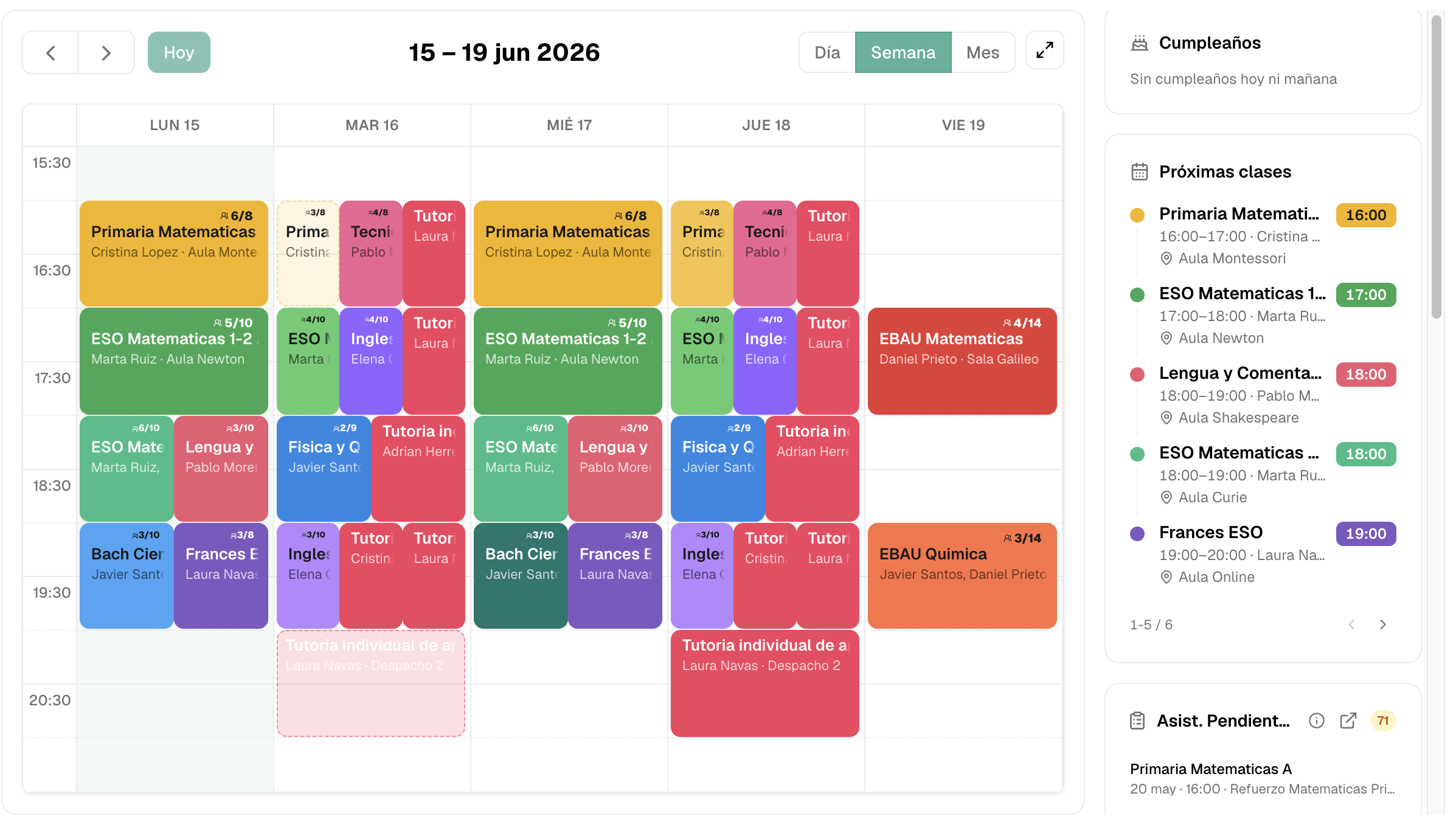
It is not a generic CRM or a calendar with extras. It is designed so the academy’s operation stays connected:
- timetables and classes;
- attendance and absences;
- make-ups, pending classes and packages;
- payments, receipts, invoices and monthly fees;
- teachers and time tracking;
- mobile app for teachers, students and families;
- students, families and notices.
The difference is not only having those features. It is that they are easy to use, configured around your rules and quick to launch with hands-on support.
If you are comparing programs because Excel, WhatsApp or your current software is no longer enough, start with this academy management software comparison.
And if you want to see how it would look in your center, tell us your case and we will show you Clasbi with your rules, your classes and your way of working.