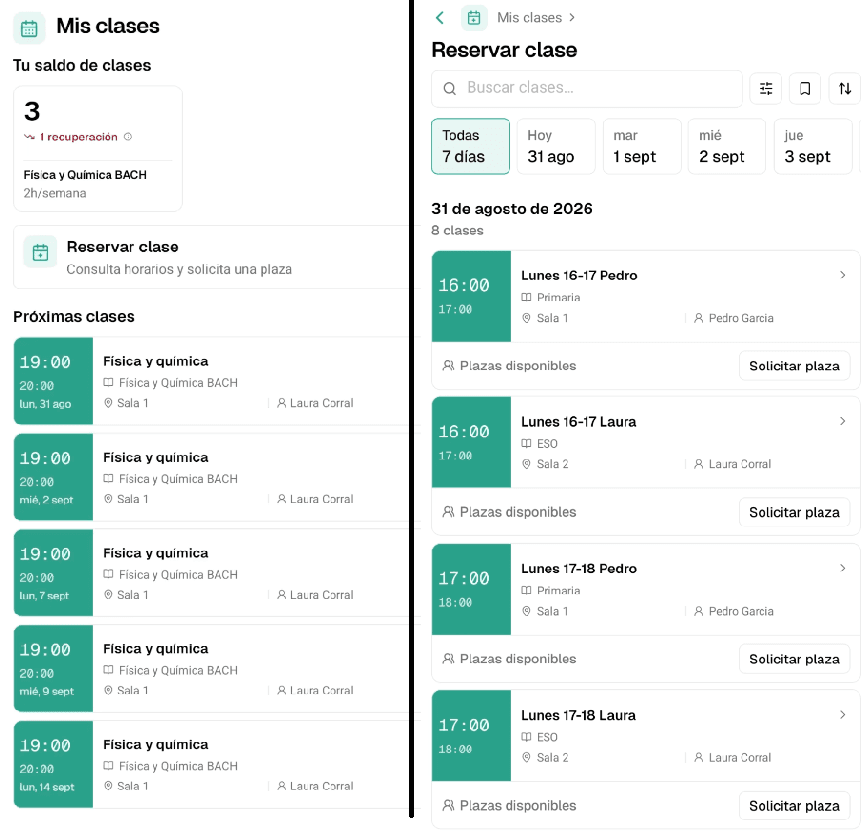

Yes, you can switch management software without losing your centre’s data. It takes less time than you might think: around four hours spread across a week. The heaviest part, setting up groups and timetables, should be handled by the provider.
The important thing is to request your data before cancelling, choose the right moment to switch and pick academy software that helps with the migration.
Why switching software feels harder than it is
Most academy directors who stay with software they do not like are not staying because of the product. They stay because leaving feels awkward. And that friction is rarely technical.
If you are still comparing options, first make sure you know what academy management software should include, so you do not move the same problem to a different screen.
Prices you cannot compare
Many providers in the sector do not publish pricing. To know the cost, you have to fill out a form, speak to a salesperson and wait a few days. If you cannot compare, you cannot decide. And if you cannot decide, you stay where you are.
You paid to start and got tied in for a year
If you paid an onboarding fee at the beginning, that number keeps working in your head years later. Switching feels like throwing away what you invested, but it is not. That money is already spent, and staying will not recover it either.
Also check your contract. Many last a year and renew automatically unless you give notice around thirty days in advance. If you miss that date, you may have another year ahead.
The data setup you end up doing yourself
Some providers send you an Excel template, explain the format and leave you alone with the work. If launching the software depends on you finding a free week, the switch never happens. Always ask who sets up the system on day one: you or them.
If you are coming from spreadsheets, these alternatives to Excel for academies can also help you decide what is worth migrating.
What data to take with you and what to archive
Take only what you need to operate tomorrow. Keep the rest separately. The most expensive migration mistake is not losing information; it is dragging old disorder into a new app.
What you need to operate
- Active students and guardians, with verified phone numbers and emails.
- Groups, timetables, teachers and rooms. If this part takes too much work, this guide on schedule and calendar management for academies may help.
- Fees, packages, discounts and special payment agreements.
- Balances and pending make-up classes.
- Who owes fees, and how many.
What you only need to keep
Invoices from previous years, old attendance records and students who no longer attend. None of this needs to be inside the new software. Keep it in a dated folder and consult it when needed.
In Spain, tax rules generally require keeping invoices for four years, and the Commercial Code for six. If you are unsure what payment documentation to keep, we cover it in receipts, invoices and Verifactu for academies in Spain.
What you can let go
Contacts from three years ago who never enrolled. Groups that no longer exist. Three duplicate records for the same student. A practical rule: if you have not looked at a piece of data in twelve months, do not migrate it.
How to request your data from your current provider
Your data is yours: students, timetables, payment history... the platform only stores it. Requesting it is normal, so write to your provider and ask for:
- Students and guardians with contact details
- Groups, timetables, teachers and rooms
- Fees, packages, balances and applied discounts
- Payment history and pending fees
- Issued invoices
Ask for it in CSV or Excel, because a PDF cannot be imported anywhere without copying everything by hand.
Do this before cancelling. Some platforms close access the same day you stop paying.
If someone delays the request, the law is on your side: Article 28 of the GDPR requires your provider, as processor, to return or delete the data when the service ends. Reminding them in writing is usually enough.
The best time to switch software
June to September is the best window: the academic year is closed, enrolment has not fully started and the year’s accounts are clear. If you are preparing the new academic year, this guide on organising September in your academy may also help.
January is the second-best option: a natural term and year break.
You can switch mid-year with one condition: finish the full month in the old system and start on day 1 in the new one. Never split one billing month between two systems, because checking the data in both places becomes messy.
The full plan, day by day
There are five steps spread across several days. Each one includes an estimate of how much time it takes from you.
Day 1. Request your data: 30 minutes
Write to your provider with the list above and save everything they send in a dated folder. Open the files and check that they contain real data, not just column headers.
Day 2. Clean it up: 2 or 3 hours
This is where the migration is won. It is the most important day.
Unify phone numbers, delete duplicate students, check that every minor has a guardian with a correct email and mark students who no longer attend.
It is the most boring part, and the one you will notice most later.
Day 3. Set up the system: the provider does it
There are two types of data, and they should not be treated the same way.
Students and guardians are a list. They can be imported more directly from the file into the new system.
Groups, timetables and rooms are different. Each platform structures them in its own way: what is one group with two sessions in one tool may be two different groups in another. Copying them blindly creates more problems than it solves, so it is better to rebuild them cleanly.
At Clasbi, we handle this step. You review it and confirm that everything looks right.
Day 4. Check that everything lines up: 1 hour
Check that the important pieces are where they should be: active students, guardians, groups, timetables, teachers, rooms, fees, balances and pending payments.
Then export the list of who owes money in the new system and compare it with what you already know: bank receipts, your spreadsheet, the notebook where you wrote down who asked to pay in two instalments.
You are looking for small errors before they become big ones: a student in the wrong group, a class at the wrong time, a fee applied incorrectly, someone owing something they already paid or a pending payment that is missing.
One hour now can prevent several awkward conversations later.
Day 5. Tell families and the team: 15 minutes
Send one message to families and one to the team:
Hi, [name]:
From 1 September, we will manage the academy with a new platform. You will receive an access link this week.
If you have any questions, reply to this message and we will help.
After that, keep the old system active for consultation until you complete one full month in the new one.
The six mistakes that really can make you lose data
- Cancelling the old system before finishing the first month in the new one. This is the only mistake on this list that cannot really be fixed.
- Not setting a cut-off time. You import data on Tuesday and on Thursday discover that the office kept entering enrolments in the old system. Tell the team the exact day and time from which everything goes into the new tool.
- Importing data without reviewing it first. The system does not warn you: it accepts the file and everything seems fine. The problem appears weeks later, when you find duplicate students or discover that half the list is not receiving messages because phone numbers use different formats.
- Forgetting pending fees and balances. In December, nobody remembers who carried two unpaid monthly fees or who had three make-up classes pending.
- Not saving issued invoices. They are what your accountant will ask for.
- Doing it alone on a Sunday without telling teachers. The migration works, but on Monday nobody knows where to take attendance, so they go back to paper.
What to check before signing with another provider
Before choosing any academy software, including ours, check these five points.
| What to check | Warning sign | What you should look for |
|---|---|---|
| Price | It is not on the website: you have to ask | Published pricing, so you can calculate what you will pay |
| Getting started | They charge an onboarding fee | No setup fee |
| Contract | They lock you in for a year and renew automatically | You can cancel whenever you want |
| First day | They send you a template and leave you to it | They set up the system with you |
| If you leave | They do not explain how to recover your data | They give it to you in CSV/Excel when you ask |
The last row is the important one, and almost nobody asks it in the demo. Ask it.
Clasbi pricing is published on the website: €5 per teacher per month (VAT included), with the first 3 months free. There is no setup fee or lock-in, you can cancel whenever you want, and we handle the initial setup with you.
And if one day you decide to leave, write to us and we will send you all your data in CSV/Excel, free of charge and without conditions. You can also read our data deletion policy.
Conclusion
Switching management software will not make you lose data. Improvising can: not requesting your data before cancelling, switching at the wrong time and not checking who owes what.
Request, clean, choose the right moment and keep the old system available for consultation for one more month. Invest four hours and the risk disappears.
If you are considering a change, tell us how your academy works and we will help you decide whether to switch now or wait for the next academic break.