

To manage an academy's schedule, first define the groups with their recurring time slot, teacher and students, and let the system generate the course's classes. That way you only handle the exceptions, such as moving a class or changing teachers, and the calendar stays connected with attendance, make-up classes, payments and notifications.
A manual calendar, such as a paper planner, an Excel sheet or Google Calendar, forces you to copy each class by hand and update several places when something changes. The work worth eliminating is copying classes by hand.
What does managing schedules in an academy mean?
Managing schedules in an academy means keeping every class up to date along with everything that depends on it. Behind each class there is:
- a group and a teacher;
- the enrolled students;
- a classroom or an online class link;
- attendance and make-up classes;
- the payments or class balance it uses up;
- the people who need to know if something changes.
When that information lives in separate places, every change means checking calendars, WhatsApp, spreadsheets and payments. That is why many academies start looking for a calendar app and end up needing academy management software.
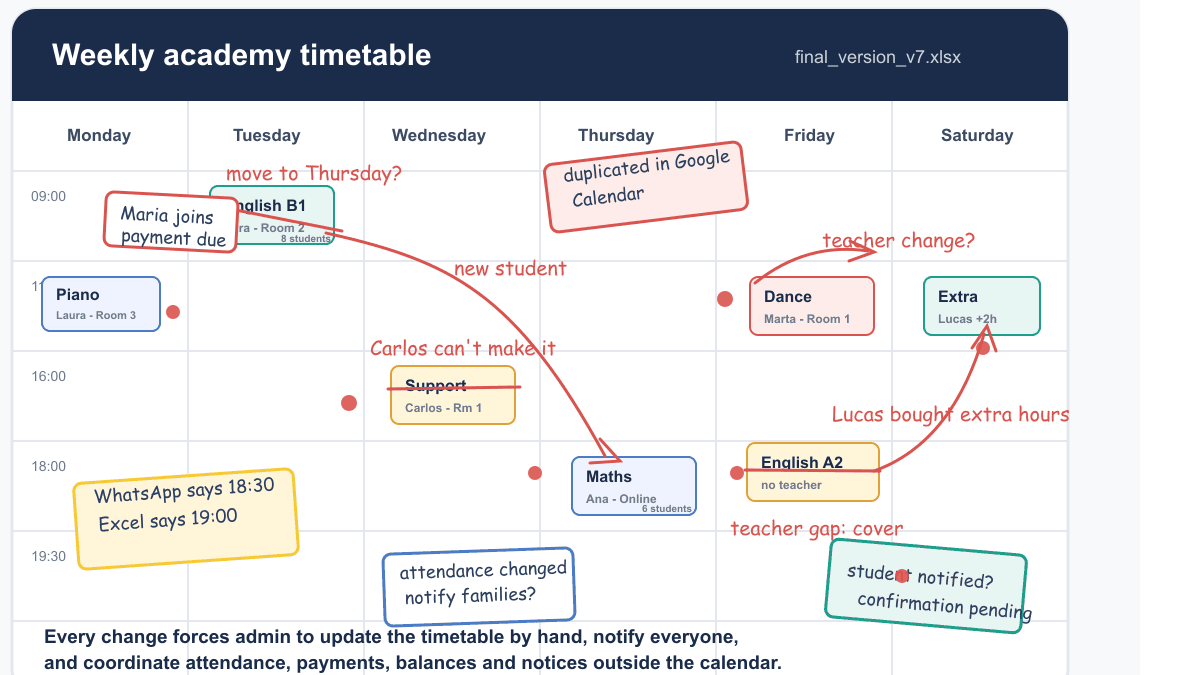
Does this calendar look familiar?
It is a normal week with five changes on top: a moved class, a substitute teacher, a student buying extra hours, a teacher slot left uncovered and a family waiting for confirmation.
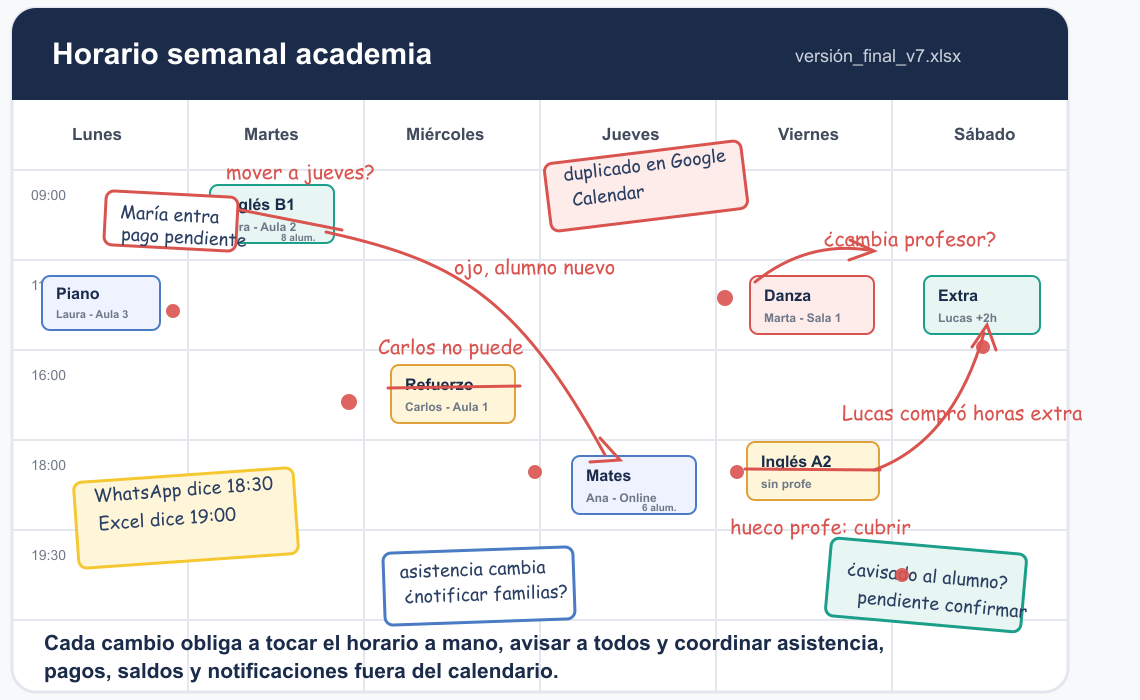
The visible mess is the symptom. The cause is a calendar disconnected from students, teachers, attendance, payments and notifications.
Why are recurring groups the key to the schedule?
Because almost all classes in an academy repeat: Monday and Wednesday, Tuesday and Thursday, Saturday mornings. There are also one-to-one classes, hour packs and online sessions, but the backbone of the course is the groups that repeat every week.
A good system lets you define the group once and automatically generate its classes for the course. If the calendar does not understand recurring groups, someone has to create each class, move students, check teachers and verify whether attendance or payments are affected, week after week.
Why does a manual calendar fall short?
Because when there are several teachers, groups and changes, three problems appear:
- Several versions of the schedule circulate.
- Changes do not reach teachers and students on their own.
- The calendar knows nothing about payments, balances or make-up classes.
Moving a class should not mean updating five places. With a manual calendar it means telling the teacher, messaging the student, checking the classroom or link, checking the balance, recording attendance and hoping nobody looks at an old version. If this happens often, also look at these alternatives to Excel for academies.
What should a scheduling app connect?
A scheduling app for academies must answer one question: if I change this class, what else is affected? To do that it needs to connect:
- groups and recurring schedules;
- teachers and their availability;
- students linked to each class;
- attendance and make-up classes;
- payments, class packs, balances and classes used;
- notifications when something changes;
- classrooms or online class links.
This applies equally to language academies, tutoring centers, music schools, dance academies, art academies, sports centers and padel and tennis schools: any center that works with groups, class packs or recurring sessions.
What should an online academy's calendar look like?
An online academy's calendar must also give access to the class: each session with its link, teacher and students. Google Calendar and Google Meet can be part of the workflow, but if each event and link is created by hand, you get duplicate links, students without access, teachers with outdated events and time changes that do not reach everyone.
A scheduling app for online academies must bring calendar, students, teachers and links together in one place.
How does Clasbi manage schedules?
Clasbi is management software for academies and sports centers that brings schedules, attendance, make-up classes, communications and payments together in one place. In the schedule, the academy records each group's pattern: day, time, teacher, classroom or link, students and dates.
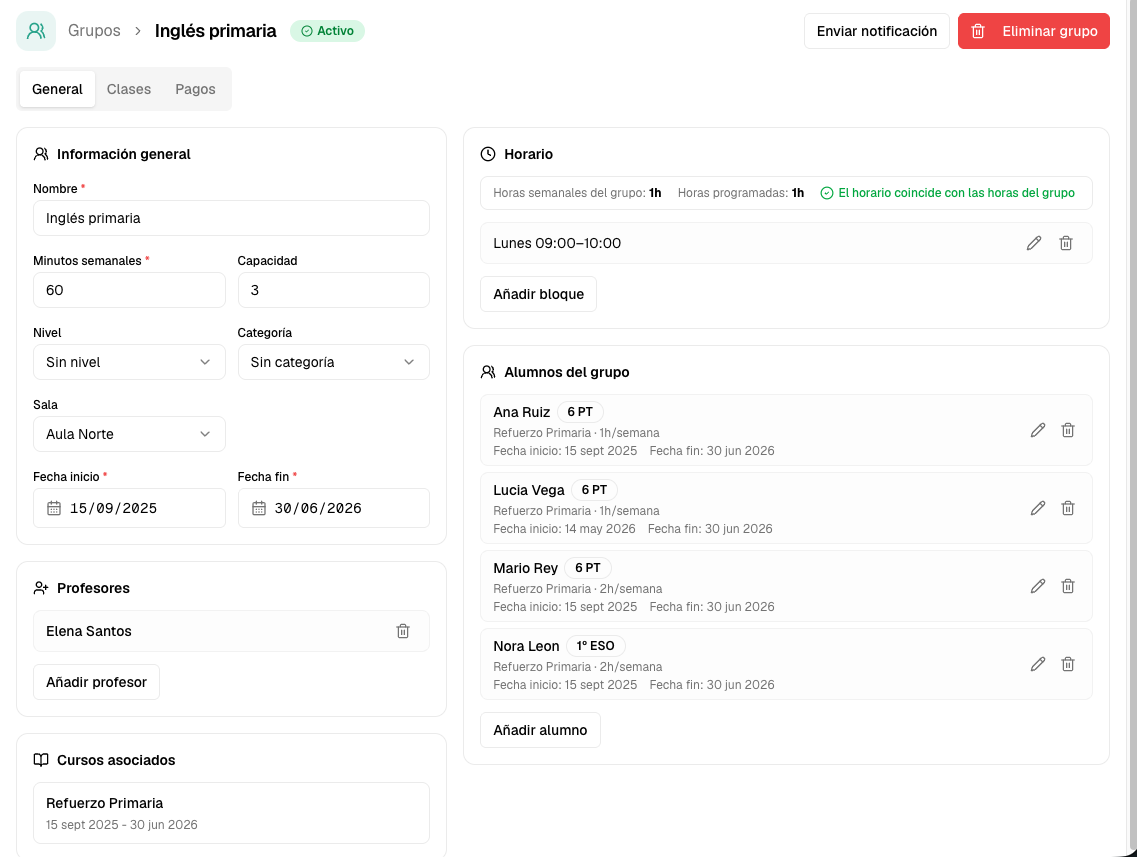
That setup works as a template: you define the rule once and Clasbi creates the recurring classes in the calendar. After that you only handle the variations: moving a class, changing a teacher, adding a student, adjusting a make-up class or checking a payment. The time saving comes from handling only the exceptions.
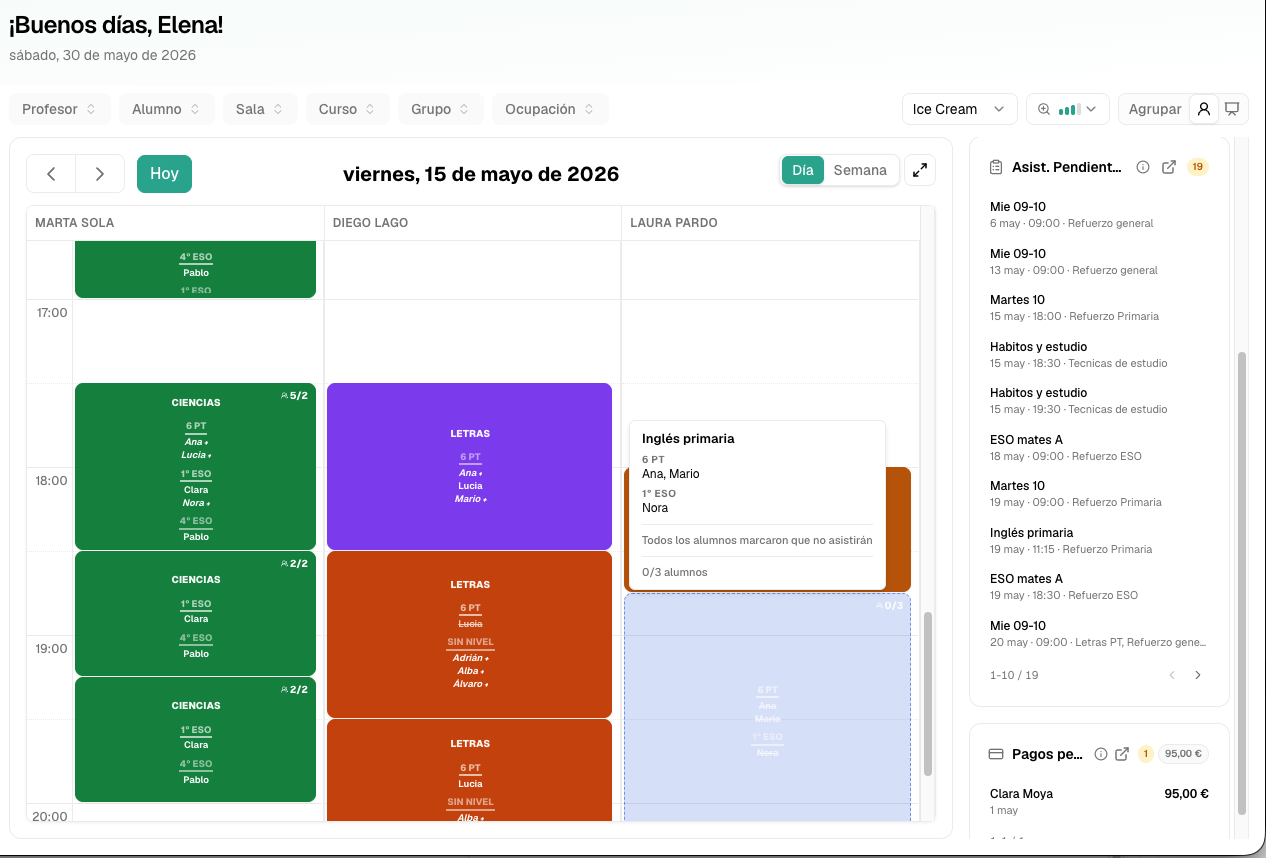
Every change of classroom, teacher or time shows up immediately in teachers' and students' agendas, and stays connected with attendance, make-up classes, payments and balances.
When should you move from a manual calendar to software?
When any of these signs appear:
- several versions of the schedule circulate;
- moving a class means messaging several people;
- students ask about schedules that were already communicated;
- make-up classes get lost or duplicated;
- balances do not match the classes taught;
- online classes depend on links created by hand.
With two or more of these signs, tidying up the calendar is no longer enough: the schedule needs to be part of the management system. Try Clasbi free for 3 months with your academy's real groups.