


Before opening an academy, prepare six things: a visual identity, communication templates, online enrollment, written rules, a main communication channel and a management system. Preparing them with 15 students takes an afternoon; doing it with 120 means redoing posters, records and habits in the middle of the course.
When you open an academy, everything fits in your head: there are few students, schedules are easy to remember and you can still place every family's story without looking anything up. Spreadsheets and chats work for a while, so it is normal for them to stay longer than planned.
The problem shows up a course later. More students join, another group opens, a family asks about a make-up class from March and someone pays late without it being clear where it was noted. Each thing on its own looks small; together they end up as a Sunday morning in front of the computer. That is hidden work: searching, confirming, copying, remembering and coordinating tasks nobody sees from the outside.
1. What visual identity does an academy need?
A new academy needs a name, a logo, two or three colors and a simple typeface that are repeated everywhere. It does not have to be a big project, just a clear reference so the website, posters, receipts and posts look like they come from the same place. When every piece has a different style, the academy looks more improvised than it is.
It is easier to decide with fifteen students than with a hundred and twenty, when there are already printed posters, saved stories and a banner on the door. To start with a visual base you can repeat throughout the course, you can use the poster kit for academies.
2. Which communication templates should you prepare?
Prepare templates for the start of the course, open enrollment, public holidays, available places and schedule changes, because they come back every year with small variations. With templates ready, you never start a poster from a blank page: you change what is needed, check it and publish. Whatever is put together at the last minute usually turns out worse, because at the last minute there is always a class and some urgent matter.
It also helps to have base texts for answering questions, so the whole team gives the same information in September. The guide to preparing September in your academy and organizing enrollments applies this to groups, places, leads and messages.
3. How do students enroll without messaging you on WhatsApp?
With an online enrollment form that the family fills in and that creates the student record without copying data. Enrollment gets postponed a lot because at first it seems easy to handle by hand: a family writes, you reply, ask for their details and then move them to a spreadsheet or a record.
With few students it holds up. With more enrollments, each sign-up leaves data scattered across messages, photos, emails and notes, and someone has to sort out names, authorizations, levels and time preferences again and again.
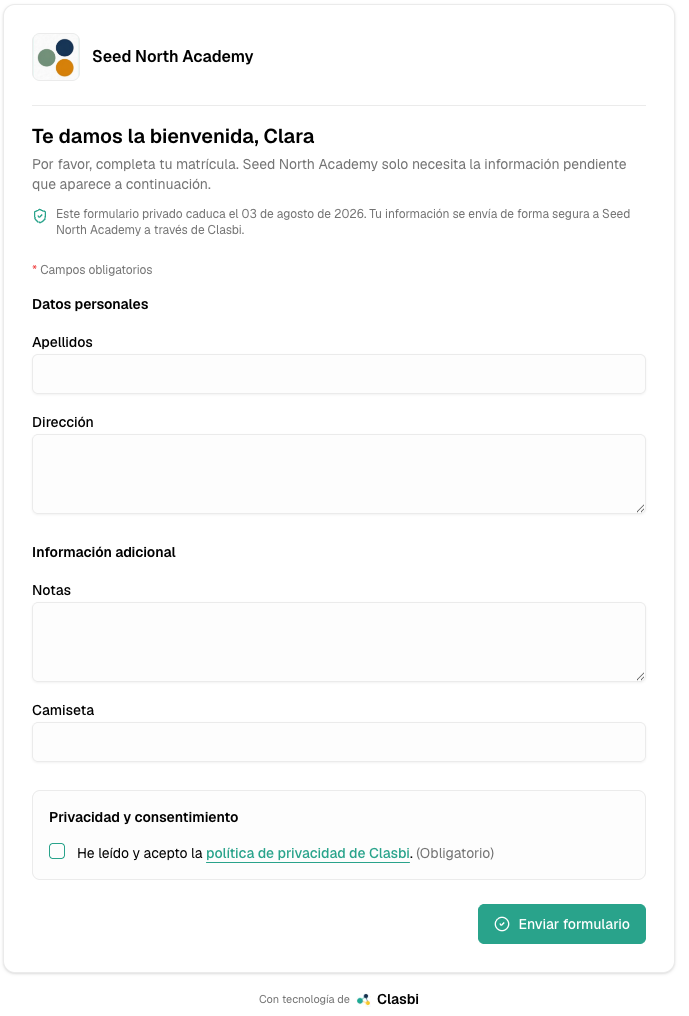
In Clasbi, online enrollment for academies is included: you share the form by link, receive the data in order and the student record is created without copying each answer by hand. The guide on online enrollment without copying data explains the flow in detail.
4. Which rules should you put in writing before opening?
Write your rules for make-up classes, cancellations, mid-course withdrawals and group changes before opening. They look like secondary issues until the first awkward case arrives, and if you decide on the fly it is easy to set a precedent without noticing.
Write down which absences can be made up, how much notice is needed, what happens if the teacher is absent, how withdrawals are handled and where families can check those conditions. It does not matter whether the policy is flexible or strict, as long as it is clear and applied equally to everyone. To put it in writing, you can use the make-up class policy guide for academies.
5. Which channel should you use to communicate with families?
A single main channel, explained at enrollment and repeated at the start of every course. If you do not choose one, families write wherever they can: Instagram, personal WhatsApp, email, phone or at the classroom door. With many students, information ends up in several places and none of them is reliable.
Also decide who replies and which topics must be recorded outside the chat. That way interruptions go down and no important decision gets lost in a private conversation.
6. When should you start using management software?
From opening day, before there is any history to migrate. "I'll set something up when we grow" usually turns out expensive: growth does not give warning, and the time of greatest growth almost always coincides with the time you have least.
Going from thirty to sixty students in two Septembers is good news, but it also multiplies schedule changes, make-up classes, pending payments and questions from families. If everything is still in Excel, WhatsApp and memory, looking up a detail, confirming a payment or checking a make-up class takes two minutes, but it happens several times a day, every week.

Clasbi is management software for academies and sports centers that brings schedules, attendance, make-up classes, communications and payments together in one place. You can have online enrollment, student records, groups and teachers ready before the course starts to fill up.