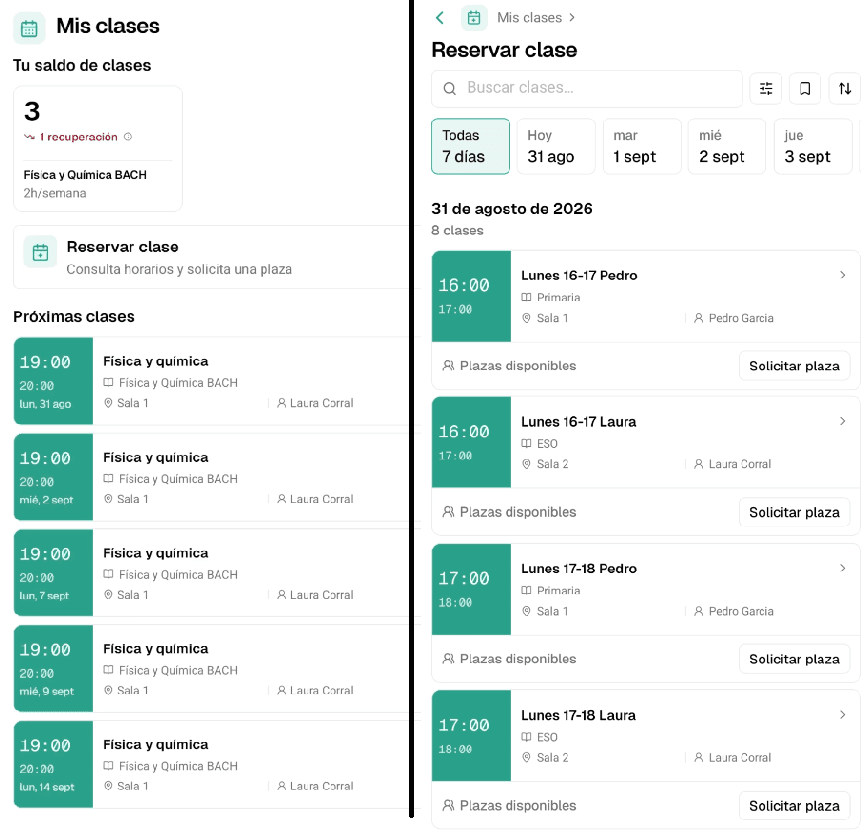


To reduce WhatsApp messages from students, put the information they ask about most somewhere easy to check, set clear rules for absences and make-up classes, and explain when to contact the academy. The easier the answer is to find, the less often you will be asked.
If you spend every afternoon answering "Is there a class tomorrow?", "Can I make it up on Thursday?" or "How much do I still owe?", you know how much time that takes. The message looks small, but it means checking the timetable, reviewing an absence or looking for a receipt.
Identify the questions that keep coming back
For one week, write down the reason for each enquiry, without copying personal details. Separate the questions that need a decision from those that only need a piece of information. That difference tells you where to start.
| Common question | What to prepare |
|---|---|
| "What time is my class?" | An up-to-date, accessible timetable |
| "Are you open tomorrow?" | A calendar with holidays and changes |
| "I can't come today. What should I do?" | A clear way to report an absence |
| "Can I make up this class?" | Clear make-up conditions and options |
| "What do I still need to pay?" | Up-to-date individual payment information |
Start with the question you get most often. If the problem is the timetable, this guide to schedule and calendar management for academies can help.
Keep one current timetable
A timetable sent in September loses its value when a teacher, group or class changes. If several screenshots are then going around, students end up asking which one is right.
Choose one place of reference, keep it up to date and make it easy to open on a phone. During the welcome, check that the student or family knows how to find their next class. When something changes, make sure students are notified before the class. And in general, check that students do not need you to know when they have to come to the academy.
Write down absence and make-up class rules
"Let us know and we'll see" starts a new conversation with every absence. Explain how much notice is needed, which absences can be made up, how to choose another class and what happens if there are no spaces.
A rule that is easy to find saves you negotiating every case over WhatsApp. You can adapt this make-up class policy for academies to the conditions of your centre.
When there is an exception, the team needs to know who decides. That way, students get a consistent answer even if they ask different people.
Explain when to write and which channel to use
Offer a specific alternative for routine questions. Keep direct support for access problems, personal questions and situations that need help. Also share contact hours you can actually keep.
This welcome message can be a starting point. Replace the fields in brackets with your academy's details:
You can check your classes and make-up class conditions at [link]. We answer questions during [hours]. If you have trouble signing in or need to discuss a personal situation, write to us through [support channel] and we will help.
The whole team should give the same instructions. Coordination matters, especially when managing an academy with several teachers.
Prepare replies that solve the next step
A saved reply saves time if it helps the student move forward. "It's in the app" usually falls short. Try messages like these and adjust the names to the tool you use:
Timetable: Open your calendar and select your next class. There you can check the current time. If your group does not appear, let us know so we can check your access.
Make-up class: These are the conditions for making up a class: [link]. Check the notice period and the available options. If your case is not covered, tell us which class you missed.
Don't ask for details you already have: every question you send back is one more message.
Announce changes before people ask
Many WhatsApp messages arrive when something changes: a holiday, a class moved to another day, a teacher who cannot come or the switch to the summer timetable. If the notice arrives late or leaves out details, every student writes to confirm the same thing.
Before a holiday or timetable change, tell the people affected what changes, on which day and what they need to do. "There are changes tomorrow" invites questions; a complete notice avoids them.
Next step
You do not need to change everything at once or set up a new system to notice the difference. Start with the question that takes up most of your time.
To get started this week:
- For a few days, write down what people ask you on WhatsApp.
- Pick the question that comes up most and put the answer somewhere easy to find.
- Next time someone asks, reply with that link instead of explaining it again.
After a few weeks, check whether that question comes up less. If it does, move on to the next one.
How Clasbi helps organise questions
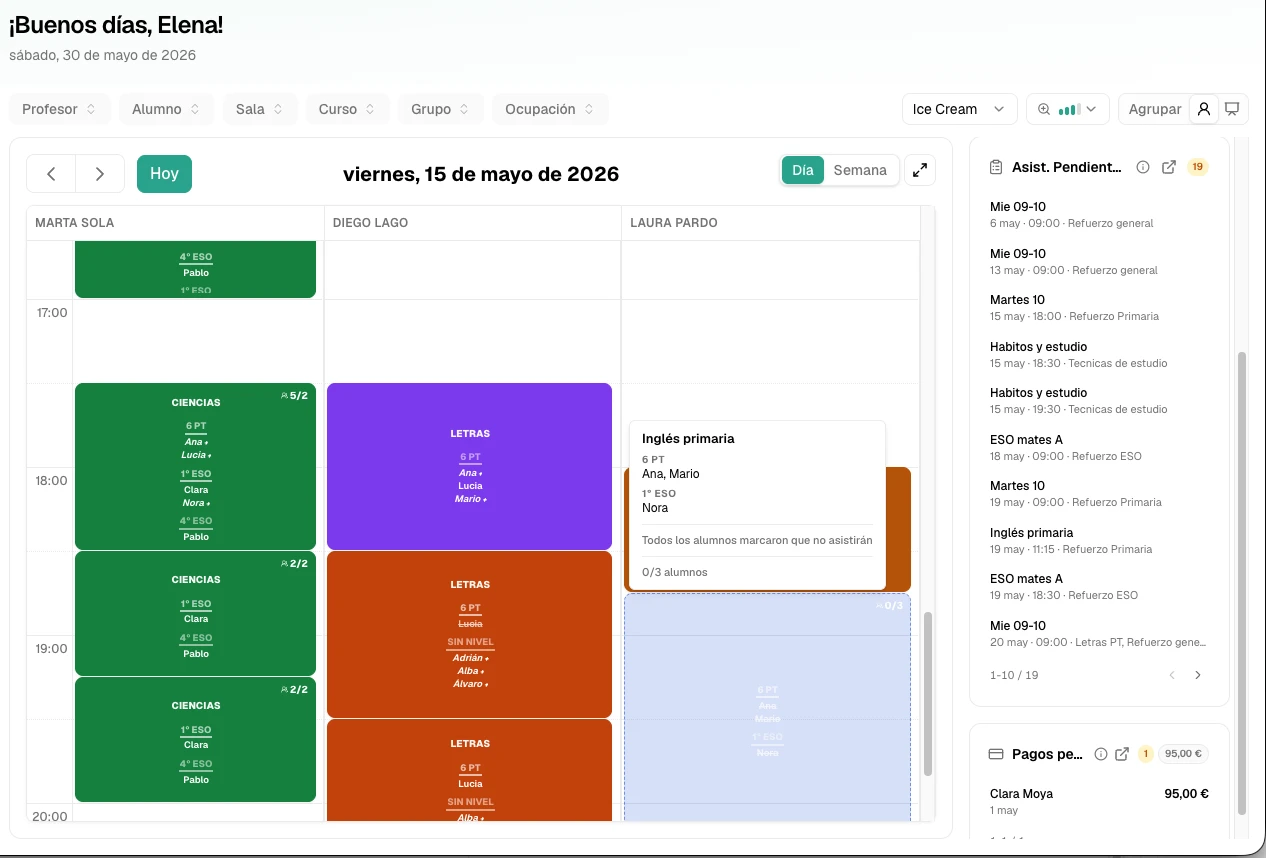
An academy management program lets you connect the information you need to answer. Clasbi brings together timetables, groups, students, attendance, make-up classes and payments in one system.
That foundation, together with clear rules and a good welcome, can help you reduce repetitive WhatsApp messages. Try Clasbi for free and see how it saves you the questions that take up most of your time at your academy.